Powerful Tools for DaVinci Resolve.
Discover plugins, macros, and creative tools designed to make your editing workflow faster.
Browse by Category
Find specialized tools built specifically for every stage of your Resolve workflow
Plugins & Macros
Inspector controls, animated titles, overlays, and DRFX packages.
Project Files
Ready-to-use .DRP project archives, presets, and grading timelines.
Scripting
Python and Lua scripts to automate bins, media pool sorting, and exports.
Expressions
Mathematical animation modifiers and dynamic node graph controllers.
Free Tools
Community-favorite free tools with instant download access.
Explore Plugins & Tools
Search, filter, and discover tools with verified compatibility and instant downloads
Popular Downloads
Community staples backed by verified download numbers and daily use
Why Choose Alok Video Editor?
Tools designed from real editing pain points, not theoretical exercises
Practical Workflow Speed
Every tool solves a real bottleneck: automatically sort 500+ clips in seconds, position graphics with 1 click, or copy frames instantly.
Clear Installation Guides
No guesswork. Complete step-by-step guides for DRFX bundles, setting files, fuses, Python scripts, and template folders for Windows, Mac, and Linux.
Production-Ready Reliability
Developed and tested on real commercial client projects and YouTube production timelines inside DaVinci Resolve 18 and 19 Studio & Free.
Transparent & Direct
Zero hidden charges. Transparent Free vs. Paid status, verified compatibility tables, and secure instant delivery through Payhip and direct download links.
Community Feedback
Genuine feedback from video editors and creators using these tools daily
Installation Guides
Clear, verified installation instructions organized by file type
Plugins & Titles
How to install .drfx bundles and Edit Page titles into DaVinci Resolve folders.
.SettingFusion Macros
Where to place .setting files for Edit page effects and Fusion node trees.
.Py / .LuaScripting Plugins
Setting up Python and Lua automation scripts in DaVinci Utility menu.
IntegrationWorkflow Integrations
Configuring DaVinci Resolve workflow integrations and custom actions.
.FuseFusion Fuses
Adding custom OpenCL / Lua Fuses into Fusion templates directory.
Frequently Asked Questions
Everything you need to know about compatibility, installation, and tools
Which version of DaVinci Resolve is needed to run plugins smoothly?
Always use the latest version of DaVinci Resolve (DaVinci Resolve 18.6 or 19+ Studio & Free). Running the newest release ensures peak GPU acceleration, full compatibility with the latest Fusion node architecture, Python 3 scripting APIs, and all recent stability fixes from Blackmagic Design.
What are the best DaVinci Resolve plugins by Alok Video Editor?
🔥 Premium / Paid Pro Plugins:
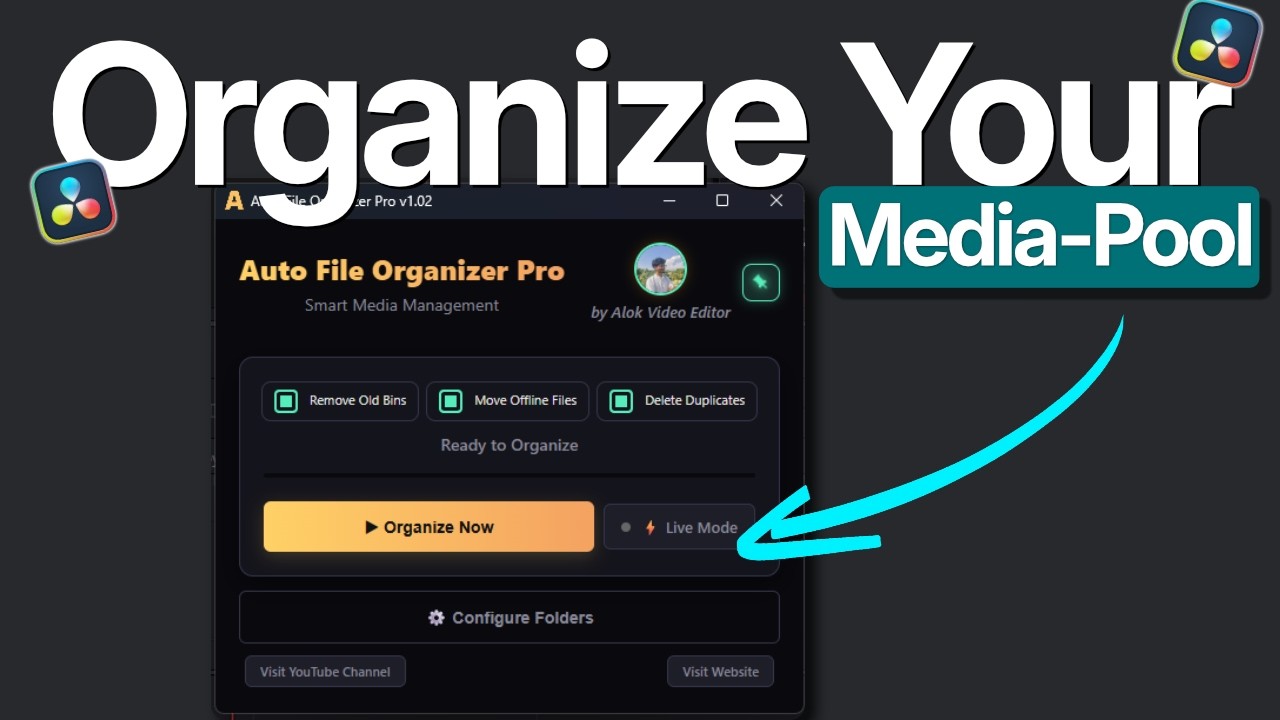
• Auto File Organizer Pro ($30) — The ultimate media pool organizer. Automatically sorts clips into categorized bins by camera brand (Sony, Canon, Blackmagic, RED, etc.), file type, compound clips, and applies instant color labels.
• Fusion Expression Editor ($30 / $15 Sale) — Powerful in-app code editor for Fusion expressions with live auto-suggestions, mathematical presets, and 1-click inspector insertion. Runs seamlessly across Windows, macOS, and Linux.
• Align & Pivot ($5) — 9-point visual alignment grid with independent anchor pivot positioning, canvas bounding box controls, and auto-keyframing for Fusion.
⚡ Popular Free Community Plugins & Macros:
• Auto Cap's Style (Free) — 1-click viral animated caption generator (Hormozi & MrBeast retention typography presets) running 100% offline for Reels, Shorts, and TikTok.
• Rectangle V3 (Free) — Directional shape animation macro with full left, right, top, and bottom controls.
• Copy Pasta V2 (Free) — 1-click timeline frame-to-clipboard copier and paste tool.
• Text Infinite Scroller (Free) — Continuous seamless looping kinetic text ticker.
• Alok Web Text (Free) — Realistic blinking typing cursor animation for titles and lower thirds.
• Cam Align (Free) — 4-in-1 multi-camera framing and alignment suite for podcast and reels workflows.
• Auto Connect Nodes (Free) — Instant smart node cabling and cable connector for Fusion compositions.
Are these DaVinci Resolve tools free to download?
Yes! Many of our most popular tools—including Auto Cap's Style, Rectangle V3, Copy Pasta V2, Cam Align, Opacity Slider, Text Infinite Scroller, and Auto Connect Nodes—are 100% free with instant direct downloads.
Professional workflow automation tools—including Auto File Organizer Pro ($30), Fusion Expression Editor ($15–$30), and Align & Pivot ($5)—are available as premium lifetime licenses with instant delivery and updates.
Do these tools work on both DaVinci Resolve Free and Studio?
Yes. All Fusion macros, titles, templates, and overlays run smoothly on both the Free and Studio versions of DaVinci Resolve on Windows, macOS, and Linux. Python scripting tools require DaVinci Resolve Studio or standard local Python runtime.
How do I install plugins, macros, and scripts?
• .drfx files: Double-click the file while DaVinci Resolve is running to install automatically.
• Fusion macros (.setting): Place them in your Fusion/Templates or Edit/Titles folder.
• Python scripts (.py): Place them in your DaVinci Resolve/Scripts/Utility folder.
For exact step-by-step operating system paths, check out our full Installation Guides.

About Alok Video Editor
Hi, I'm Alok Mahato (Alok Video Editor) — a professional video editor and DaVinci Resolve tool developer based in Nepal. I build high-efficiency plugins, automation scripts, and macros designed to remove repetitive friction from real post-production workflows.